
Marketplace: Desktop Attempts and SPARE Act Compliance (California Only)
The SPARE Act (AB 747, CCP § 417.10, effective 1 Jan 2027) brings new updated compliance measures to ServeManager.
One notable change is that servers must provide a reason as to why they were unable to capture a photo and/or GPS information when logging service attempts.
Any One Legal or Infotrack Exchange job that has a California Court will have new mandatory fields to fill out when a service attempt is created on the Desktop Site rather than the Mobile App.
Two new fields will appear: Reason Not Using Mobile App and Detailed Statement
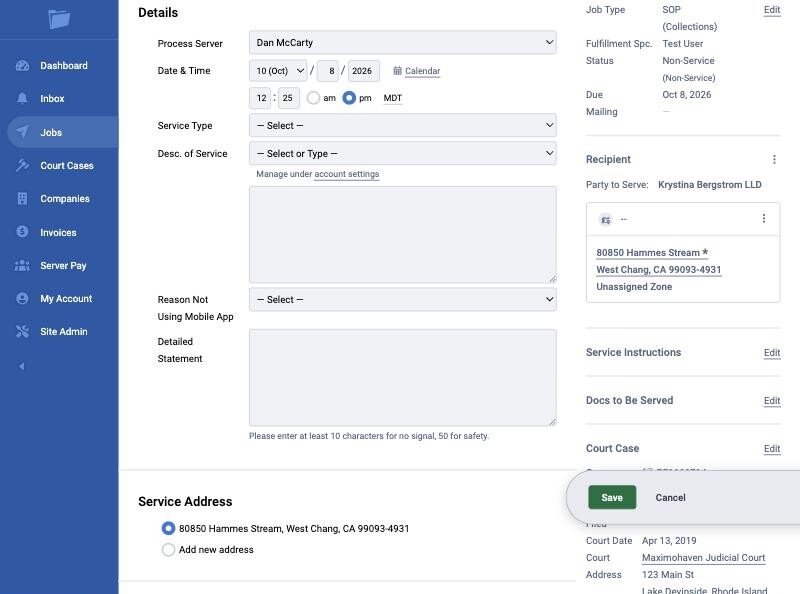
In order to save the attempt on the Desktop Site, you must choose a reason from the dropdown menu and subsequently add a detailed statement describing the situation.
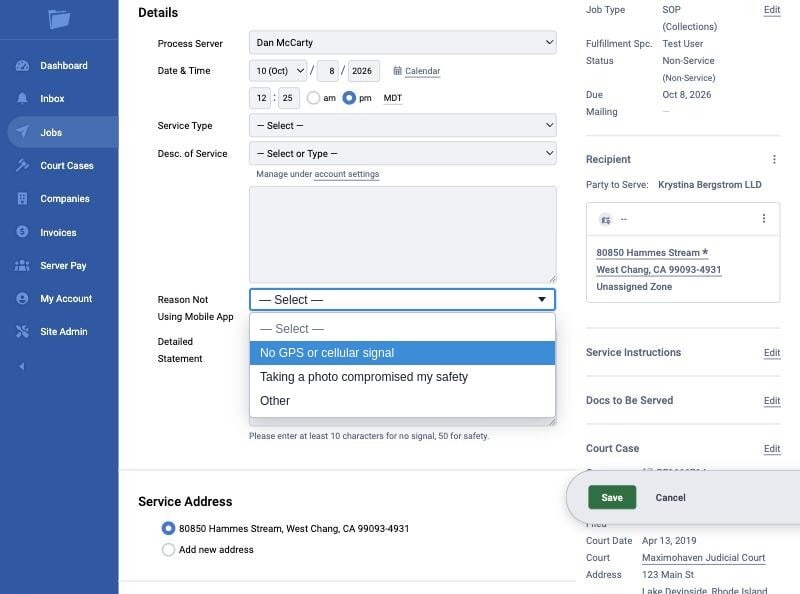
- No GPS or cellular signal
- Taking a photo compromised my safety
- Other
Select the appropriate option and then enter your detailed statement. There is a 10 character limit when selecting no signal, and a 50 character limit when selecting the safety or other option. Please be as detailed as possible when describing why you were unable to utilize the mobile app when logging this service attempt.
The attempt will not be savable unless these fields are filled out.
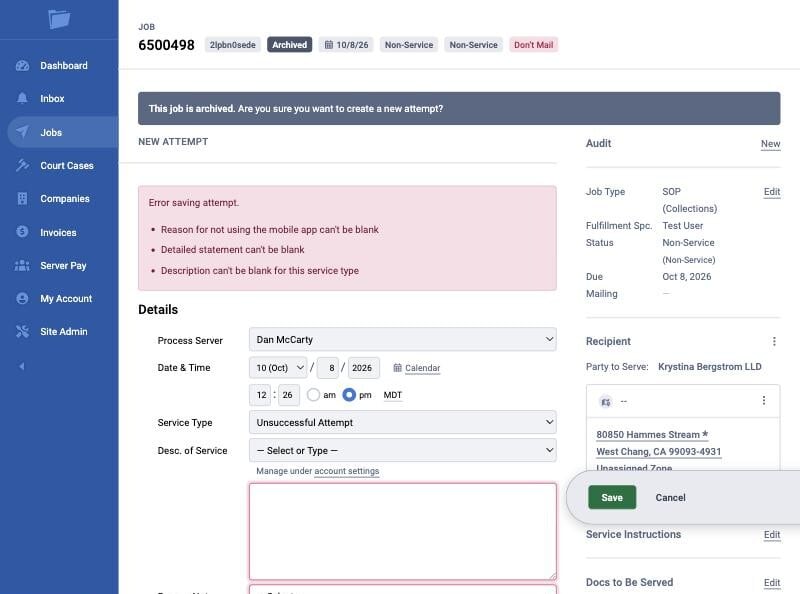
Please note this only applies to One Legal / Infotrack Exchange jobs with a California Court listed in the job.
- Updated Oct 15, 2026
Related Articles
- Marketplace: Desktop Attempts and SPARE Act Compliance (California Only)
- Exchange: Client Company Data Fields
- Exchange: Note Templates
- Exchange: As a contractor, what are my obligations to the Exchange?
- Exchange: How to Download the ServeManager App
- Exchange: Minimum Device Requirements for ServeManager App
- Exchange: Mandatory ServeManager Mobile App Usage